Learn Coding with AI-Copilot
This article provides a comprehensive overview of five major programming languages - Java, Kotlin, Python, TypeScript, and C#. We'll explore three fundamental concepts across these languages - variables, functions, and classes.
- what is AI-Copilot?
- Simply saying, "your best friend, AI, will help you do coding."
- what will we learn today (
<60 minutes)?- you will have a structural concepts of programming languages
- you will learn how to command your AI friend to do coding for you
- that's almost there but, the last thing is CELEBRATE ! 🎉
- Prerequisite
- Elementary school graduate
Outline - 3 Modules
we will only learn 3 modules within one hour,and each of them will apply to all the programming languages: variables, functions, and classes.
mindmap
  root((AI coding))
    variable
    function
    class
Purpose - Have Fun
Now that we've outlined our learning path, it's time to dive into the fascinating world of programming languages. We'll explore variables, functions, and classes across Java, Kotlin, Python, TypeScript, and C#.
Remember, the goal is NOT to memorize every detail, and NOT to become an coding guru, but to understand the core concepts thus to be able to build software products to generate revenue $$$ in real-world. This comparative approach will help you grasp the underlying principles of programming and adapt more easily to new languages in the future.
What NOT ?
What is ?
Let's start with variables, the building blocks of any program!
Variables
basic data types
Let's get a quick list of basic data types for each language:
at this moment you can simply remember that most of the main stream high level languages have the same set of basic data types:
- Number, such as integer, float (with decimals)
- True or False, Yes or No -> we call it "boolean"
- Text -> we call it "String"
- Collection to store multiple items such as the above three types (number, boolean, string, and any other types):
- List (Array): Like a backpack where you can put many things in order. You can add, remove, or look at items easily.
- Dictionary (Map): Like a word dictionary, but instead of words and meanings, you can store any pairs of things. For example, names and their favorite colors
define and use variables
Just like in Math we usually define a variable and calculate math formula. Now in this section, let's solve a Grade 1 Math problem using programming code:
First let's look at this question - it's adding up 2 numbers and getting one result, so 3 numbers right? So let's our best friend AI about this question:
# Learning Programming Language
## I'm trying to solve a math problem "1 + 1 = ?" using programming knowledge in Python
- Pls define 3 variables then use its native math algorithm to calculate the result and display
Now let's see the result:
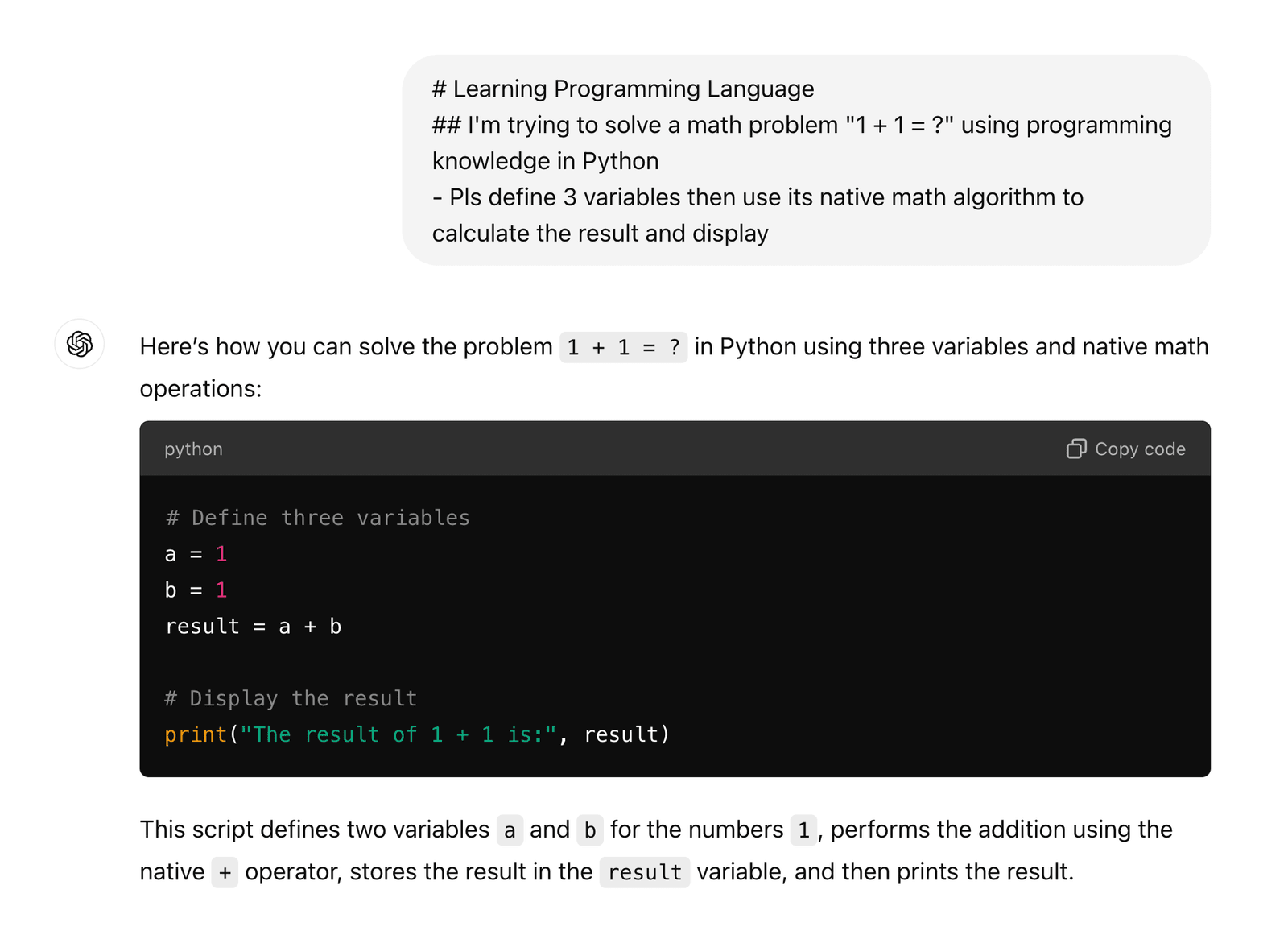
That's it! You got it? 🎉 Don't forget to celebrate! We'll help you celebrate in the end of this section when you learn all the programming languages 😄
Now let's try another language, Java, Kotlin, TypeScript, and C#
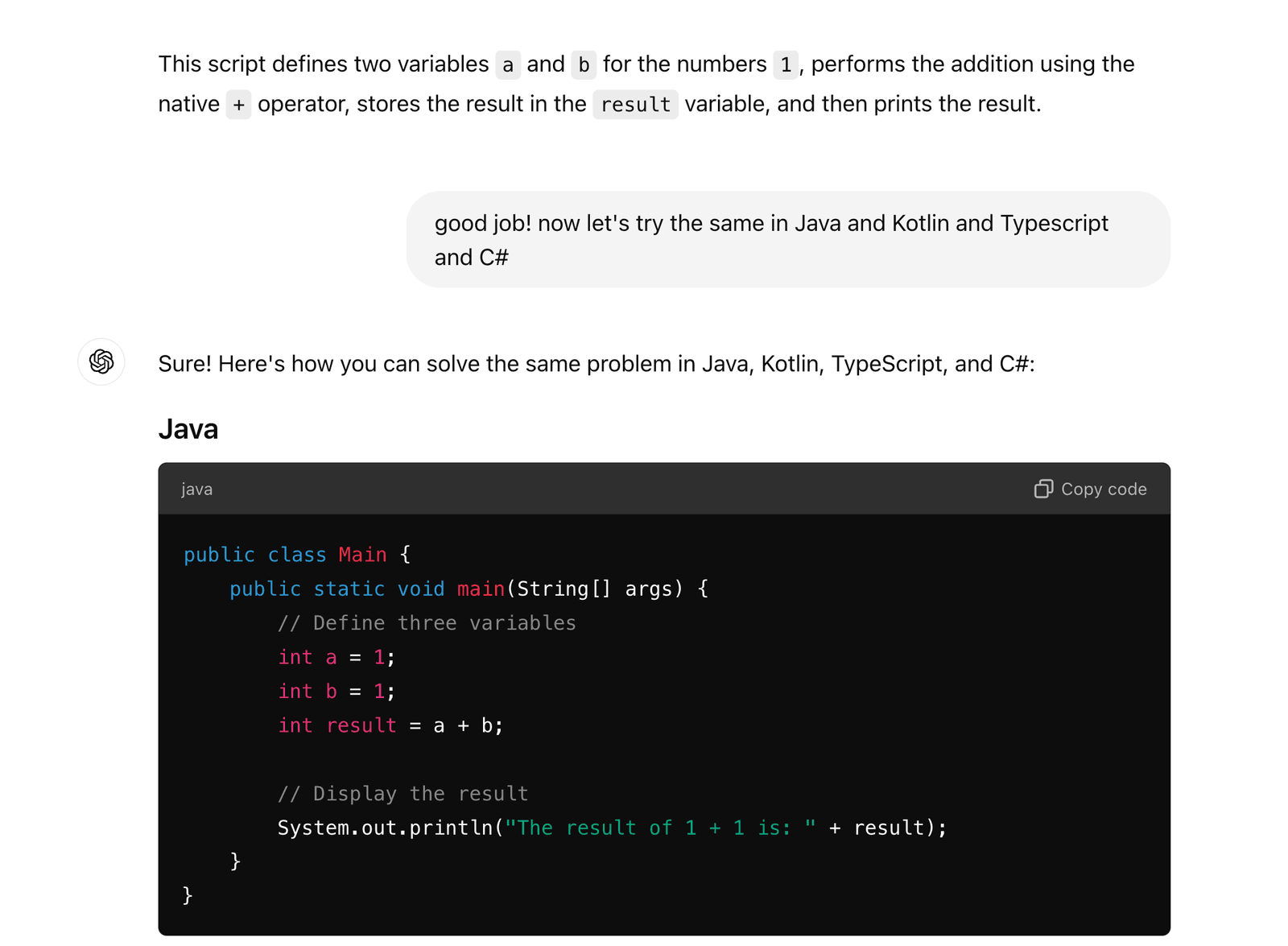
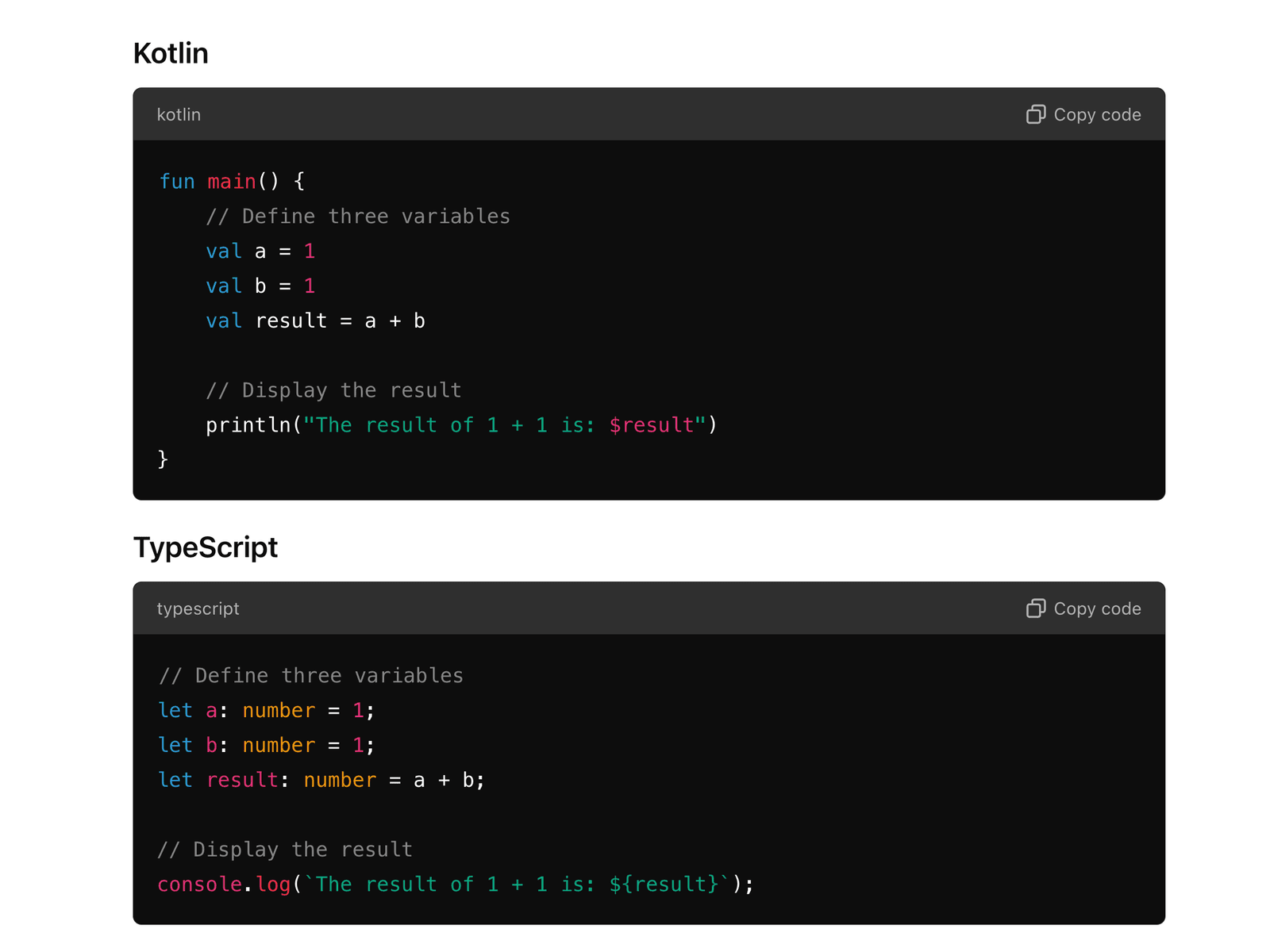
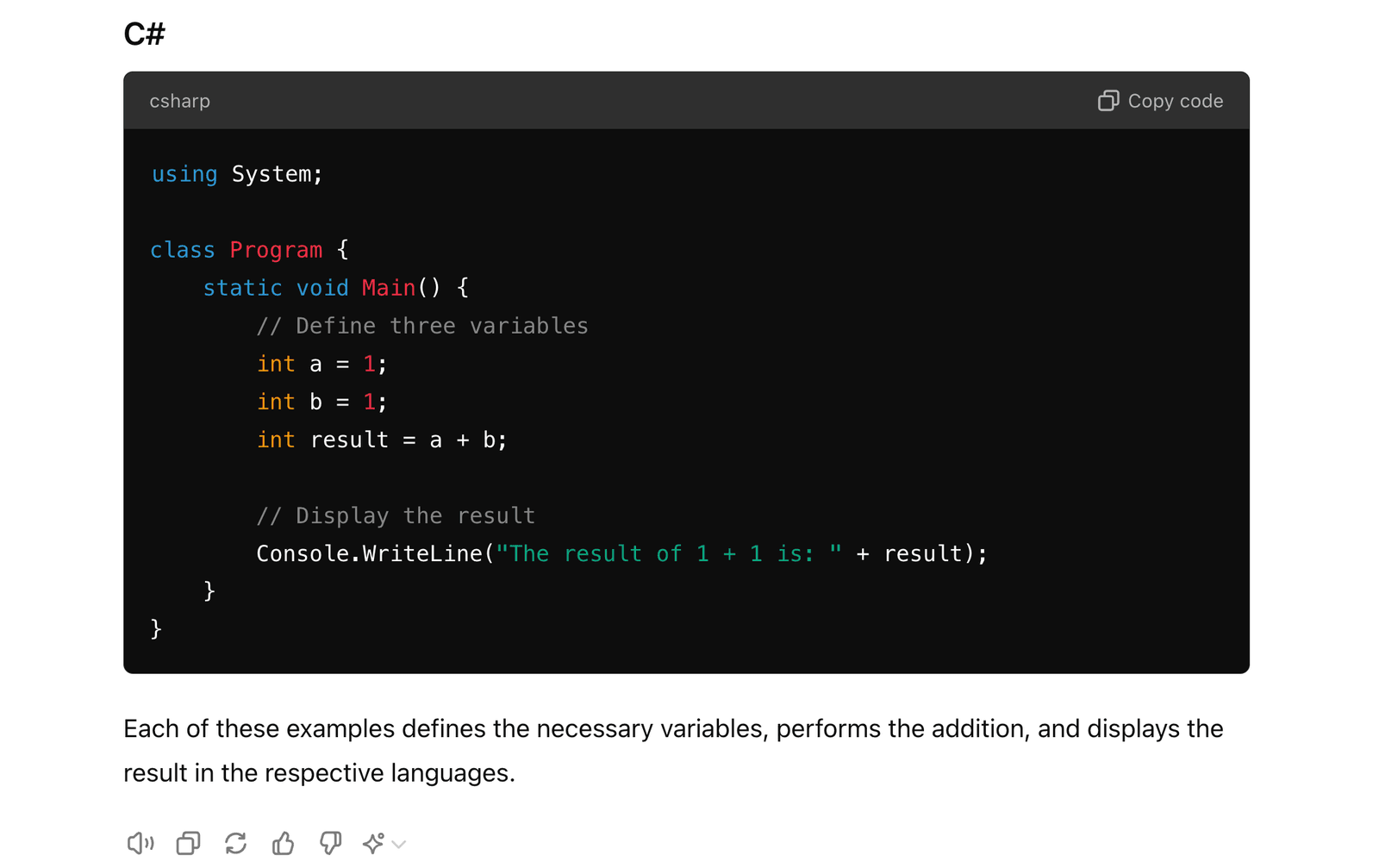
They look similar, right? Yes and that's it! Simple as that!
So you got it? I guess so! Let's celebrate! 🎉
Function
what is function?
function, a.k.a "method" or program,is like a formula: you give some inputs, and it will get you some outputs (actions counted as a type of output)
why do we need function?
because human is lazy LOL 😂, however, we are proud of it LOL 😆
I believe this will be your code or similar idea:
# python code

# 1 + 1
a = 1
b = 1
result = a + b
print(f"{a} + {b} = {result}")

# 2 + 2
c = 2
d = 2
result2 = c + d
print(f"{c} + {d} = {result2}")

# 3 + 3
e = 3
f = 3
result3 = e + f
print(f"{e} + {f} = {result3}")

# 4 + 4
g = 4
h = 4
result4 = g + h
print(f"{g} + {h} = {result4}")

# 5 + 5
i = 5
j = 5
result5 = i + j
print(f"{i} + {j} = {result5}")

# 6 + 6
k = 6
l = 6
result6 = k + l
print(f"{k} + {l} = {result6}")

# count: around ~40 lines of code
Are you feeling tired? I believe you are!
Wanna be a proudly lazy human developer? I bet you do!
Let's see how AI can help us with this problem:
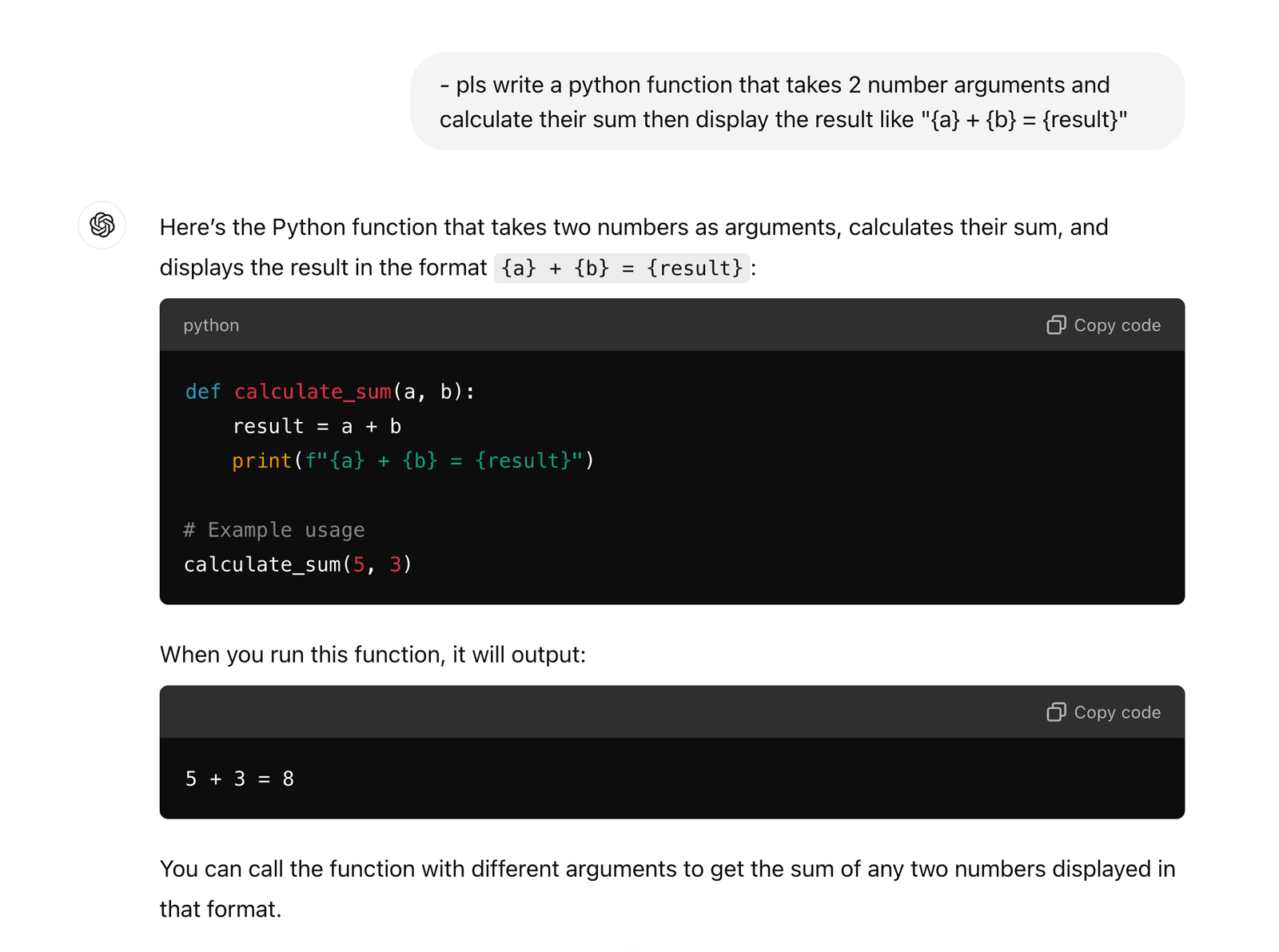
So the function in python is:
def calculate_sum(a, b):
    result = a + b
print(f"{a} + {b} = {result}")- the name of function,
calculate_sum, does NOT matter and you can name it whatever you want. - what if we rename it to simply the
sum?
def sum(a, b):
    result = a + b
    print(f"{a} + {b} = {result}")
Got it? I bet you do! And that's all as basics of function!
Furthermore, let's play around a little bit more for the function(s):
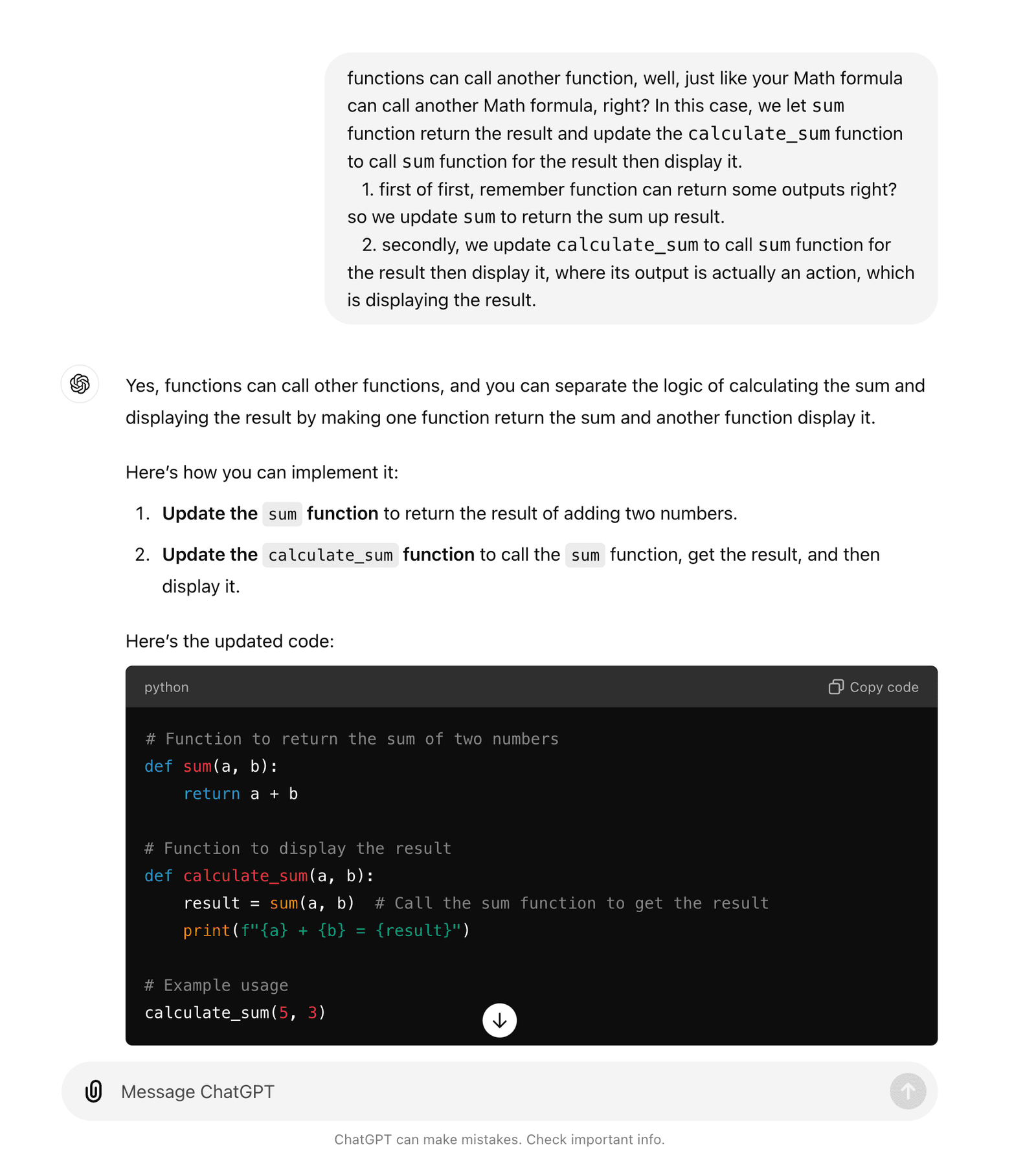
- functions can call another function, well, just like your Math formula can call another Math formula, right? In this case, we let
sumfunction return the sum result as number and update thecalculate_sumfunction to call thesumfunction for the result then display it.- first of first, remember functino can return some outputs right? so we update
sumto return the sum up result. - secondly, we update
calculate_sumto callsumfunction for the result then display it, where its output is actually an action, which is displaying the result. - Let's see how your best friend AI can do it:
- first of first, remember functino can return some outputs right? so we update
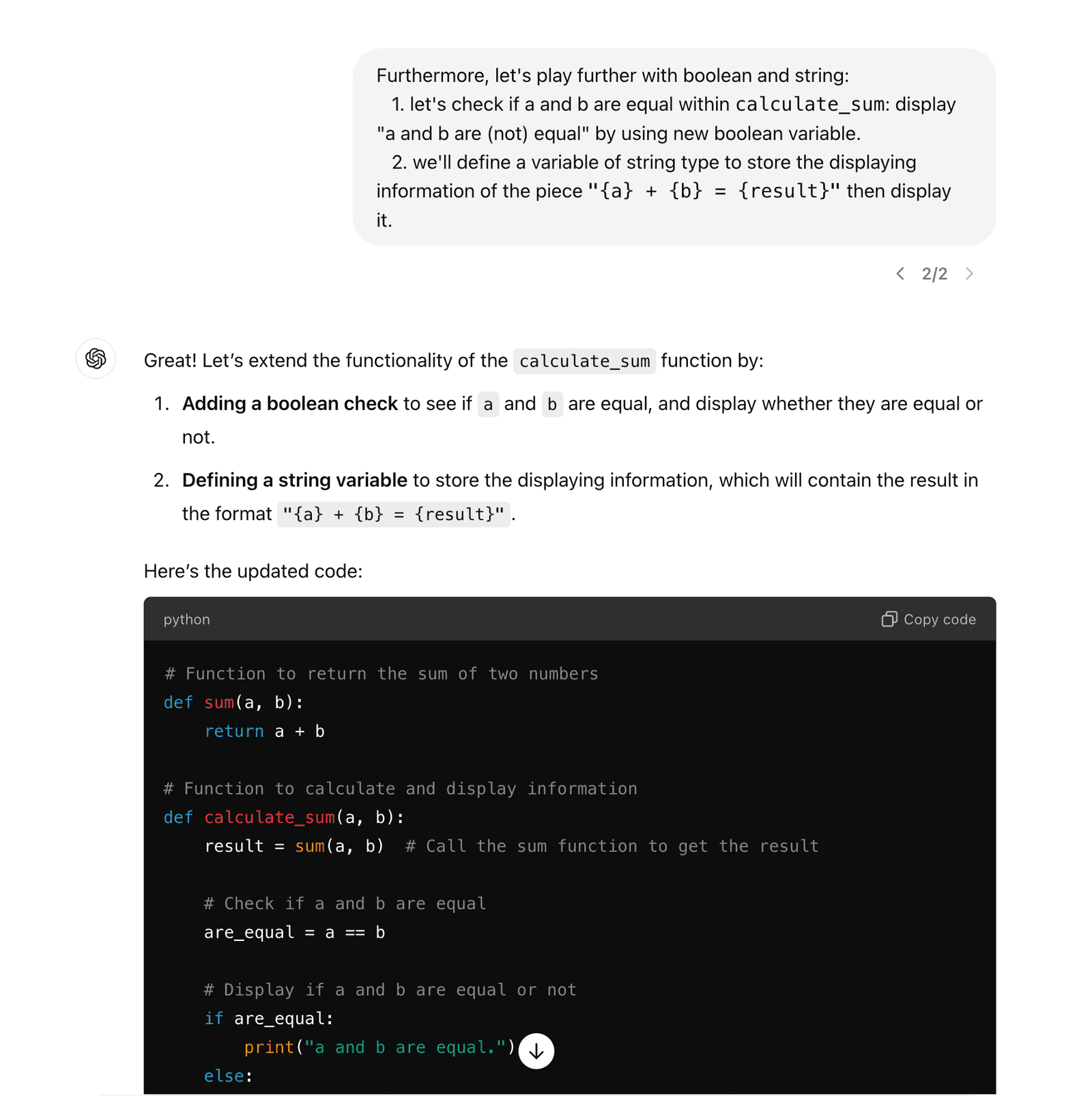
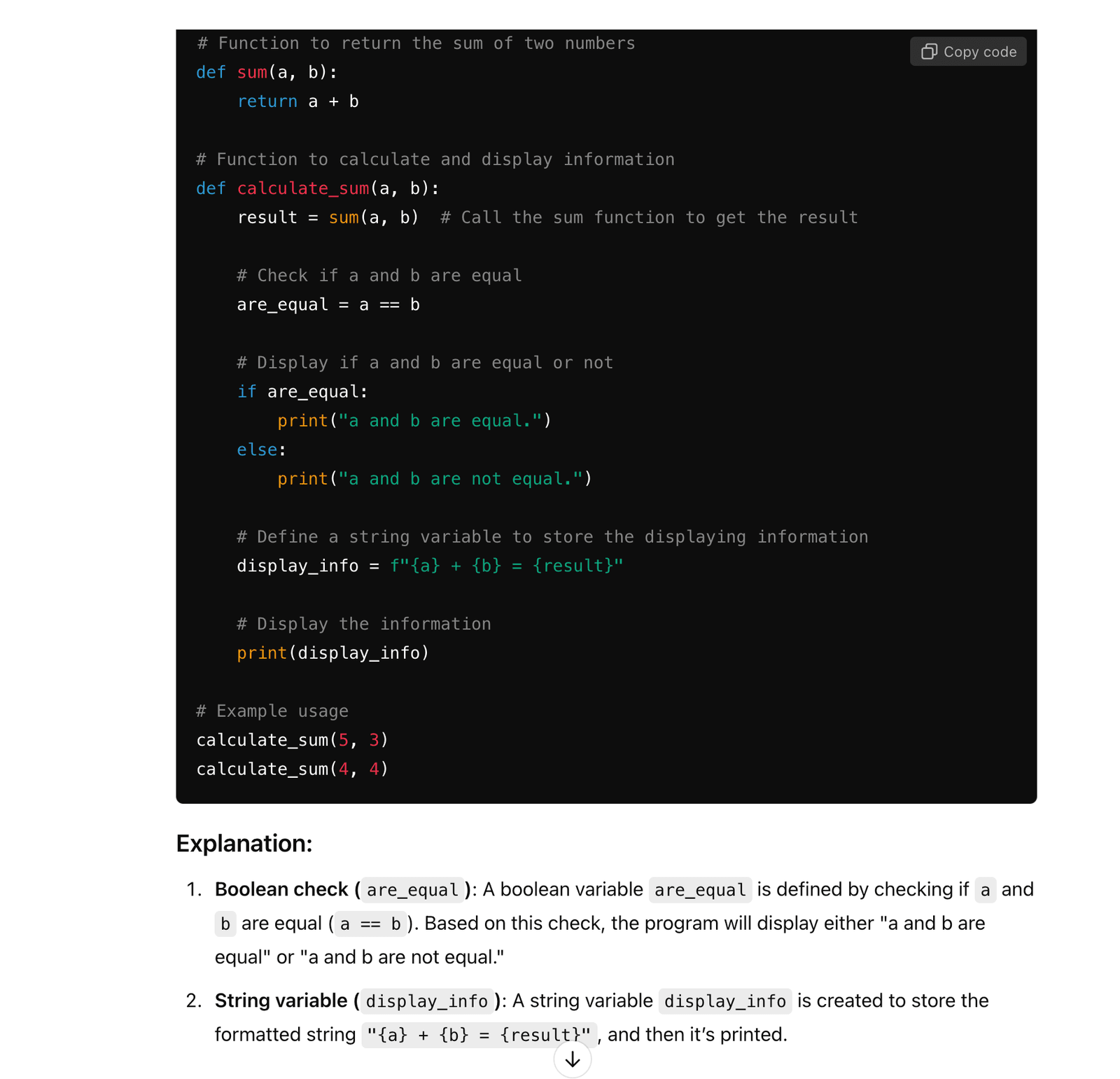
- Furthermore, let's play further with boolean and string:
- let's check if a and b are equal within
calculate_sum: display "a and b are (not) equal" by using new boolean variable. - we'll define a variable of string type to store the displaying information of the piece
"{a} + {b} = {result}"then display it. - Let's see how your best friend AI can do it:
- let's check if a and b are equal within
- What if we wanna calculate all the way to
10+10=??
calculate_sum(1, 1)
calculate_sum(2, 2)
calculate_sum(3, 3)
calculate_sum(4, 4)
calculate_sum(5, 5)
calculate_sum(6, 6)
calculate_sum(7, 7)
calculate_sum(8, 8)
calculate_sum(9, 9)
calculate_sum(10, 10)
# count: total 6+10=16 lines of code- Wanna be lazier? Let's use "loop": 🚀
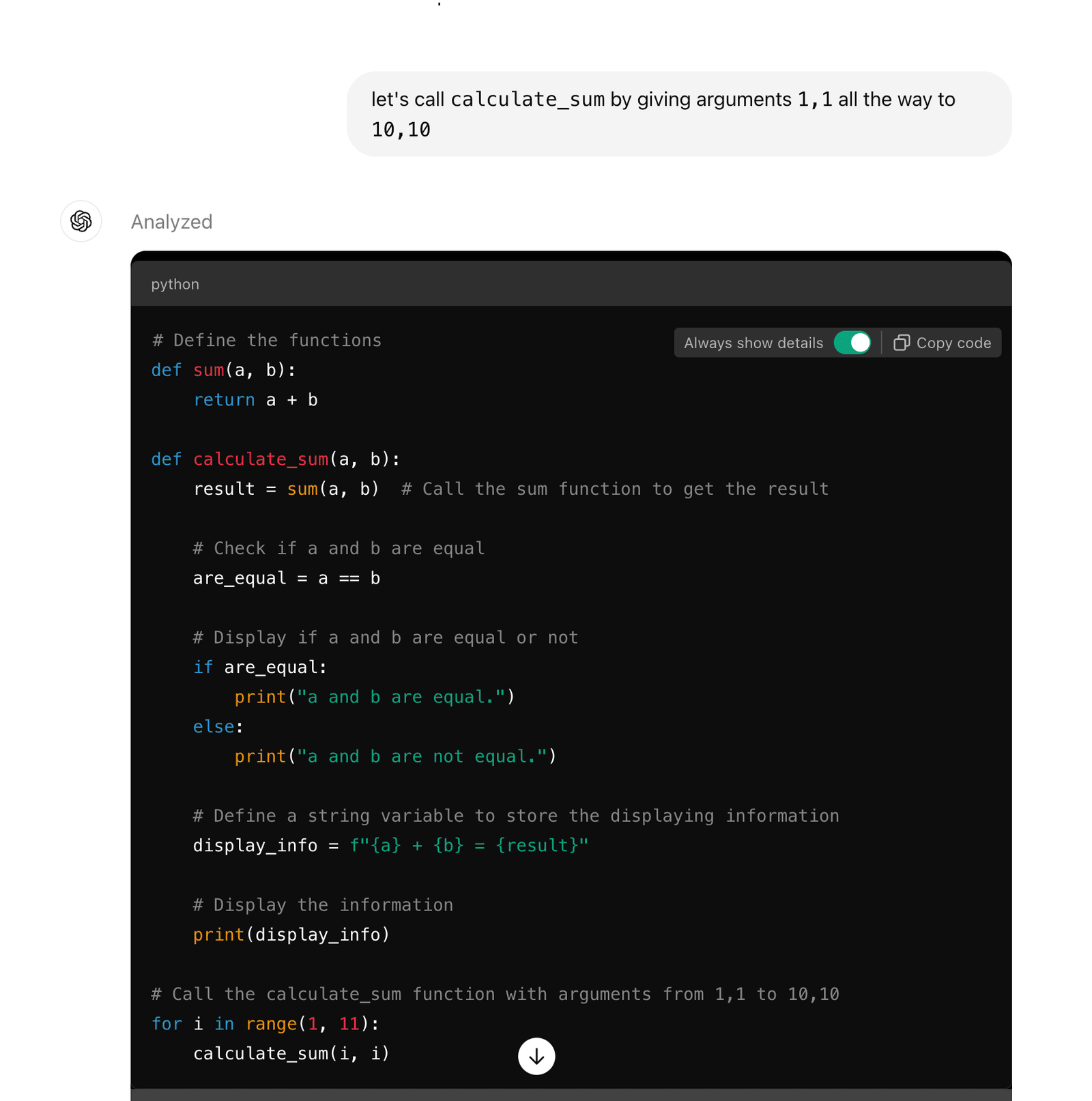
- Yes you are using a "for loop" to do it:
for i in range(1, 11):
calculate_sum(i, i)- there is another type of loop called "while loop" which is another way to do it:
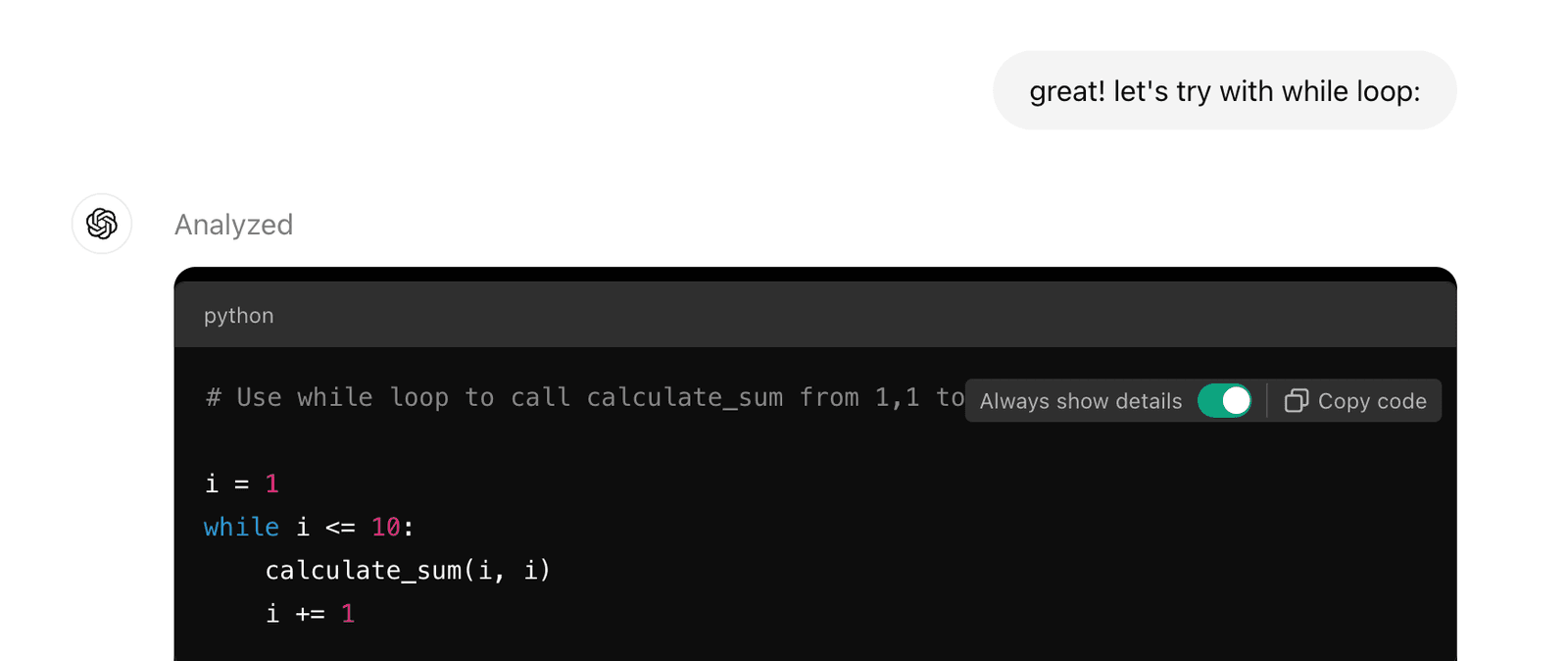
- yes that's the while loop:
i = 1
while i <= 10:
    calculate_sum(i, i)
i += 1- okay! "loop" look simpler right? I bet you get its idea!
forloop is used for a known number of times such as10,- while
whileloop is used for an unknown number of times but known condition such asi <= 10. - you've already got the syntax of
forloop andwhileloop in Python, and believe me, your AI friend can always help me write them whenever you mention "for/while loop" in the conversation 😎
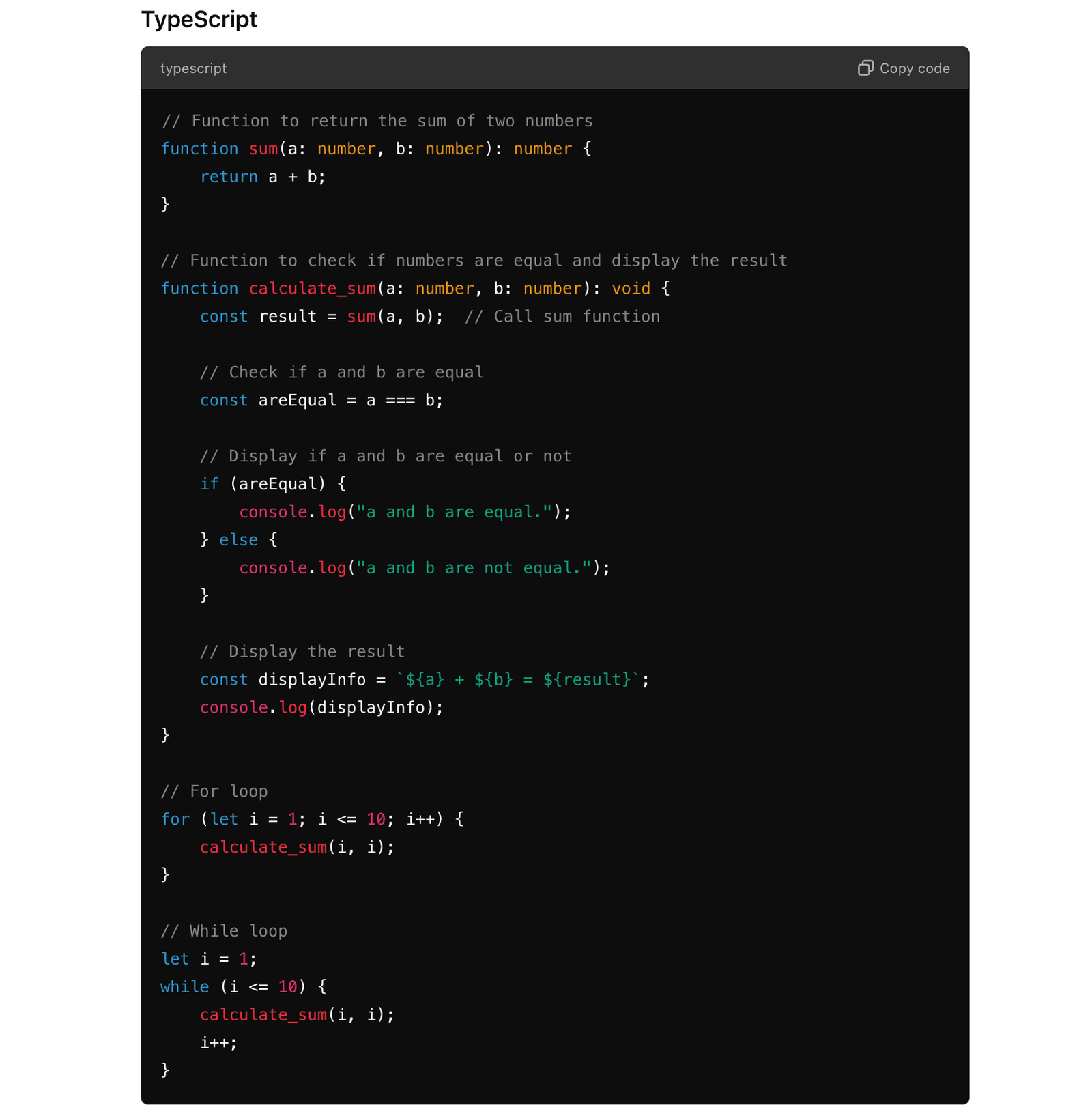
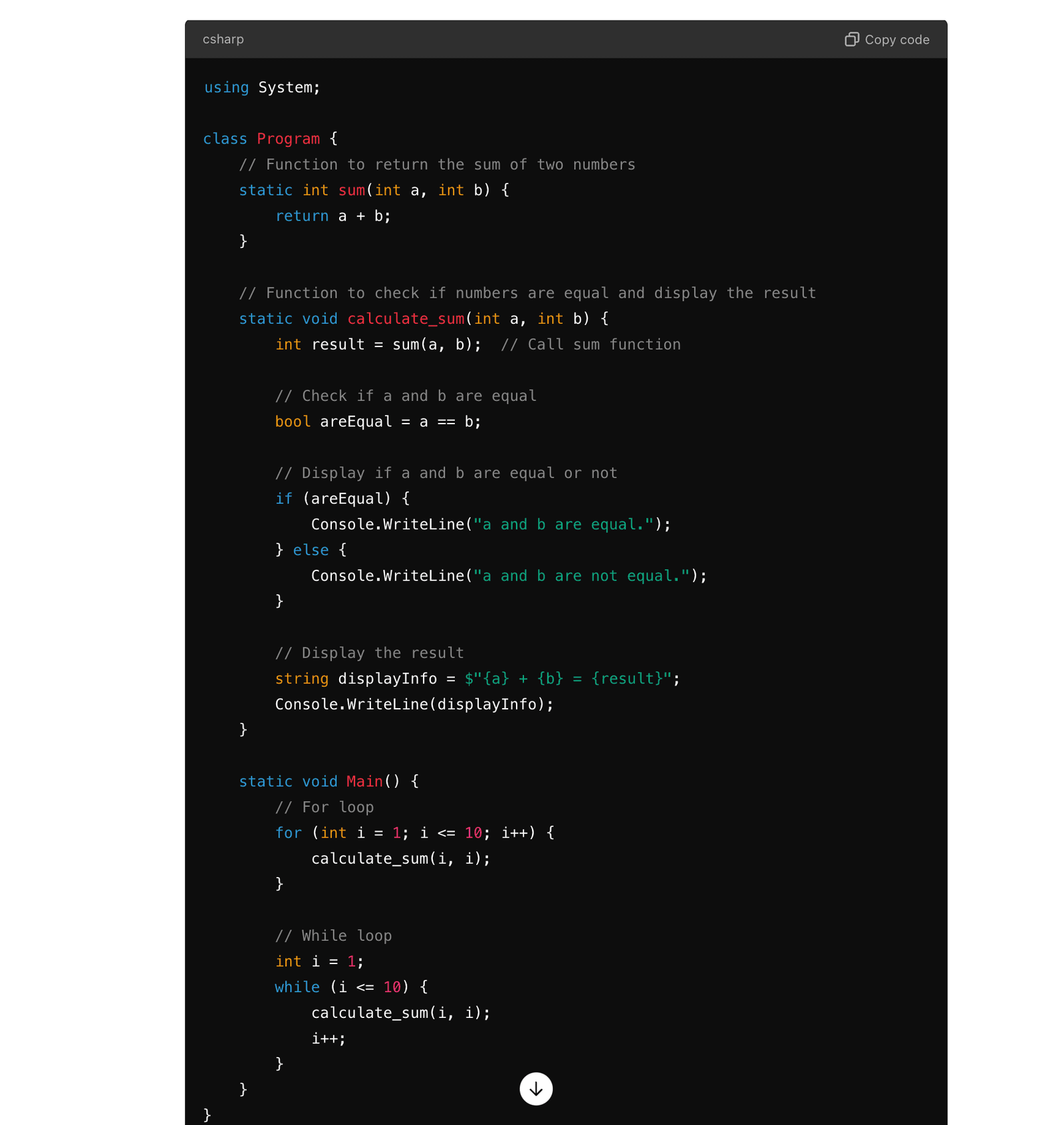
- give it a try to other programming languages:
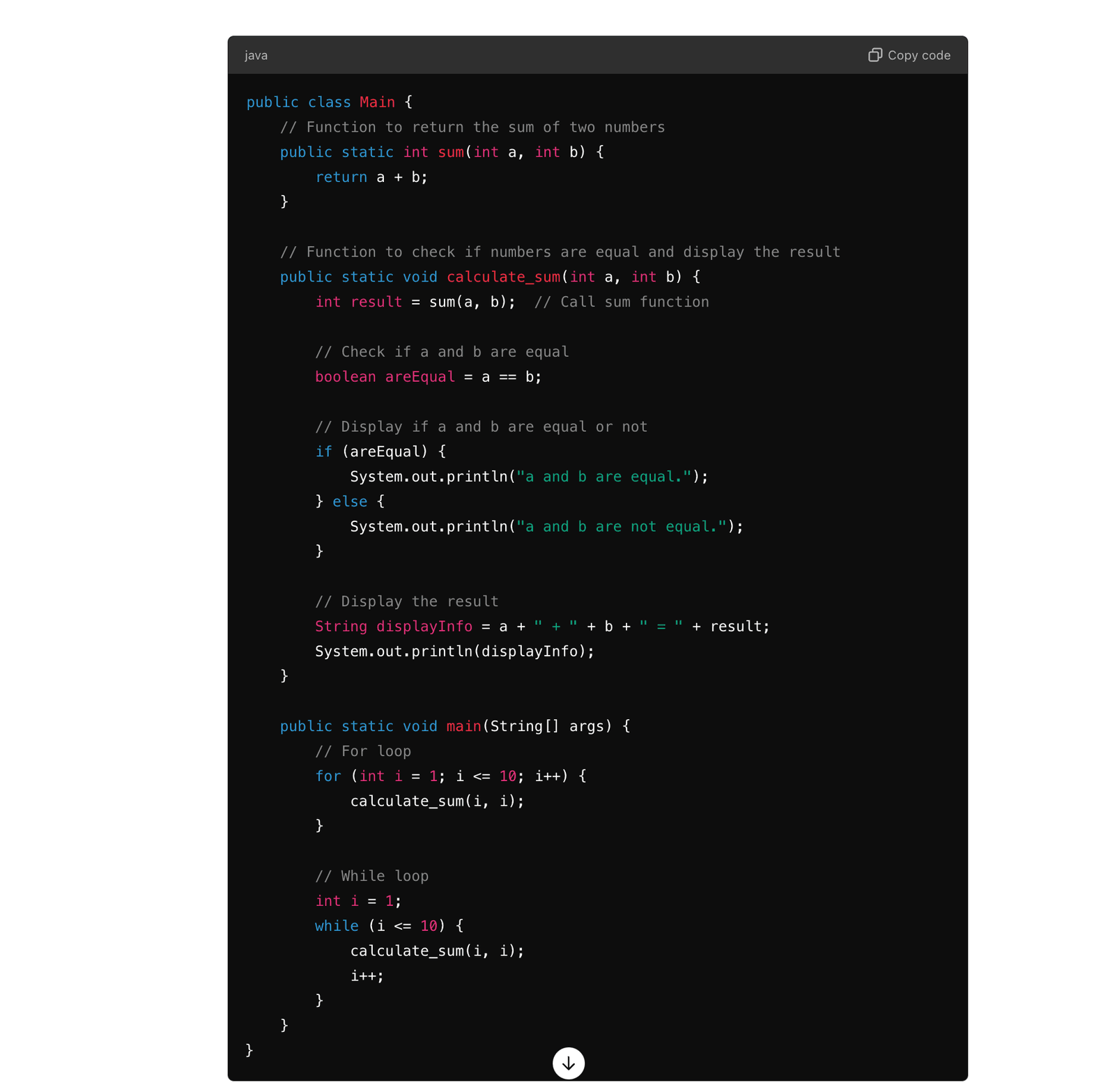
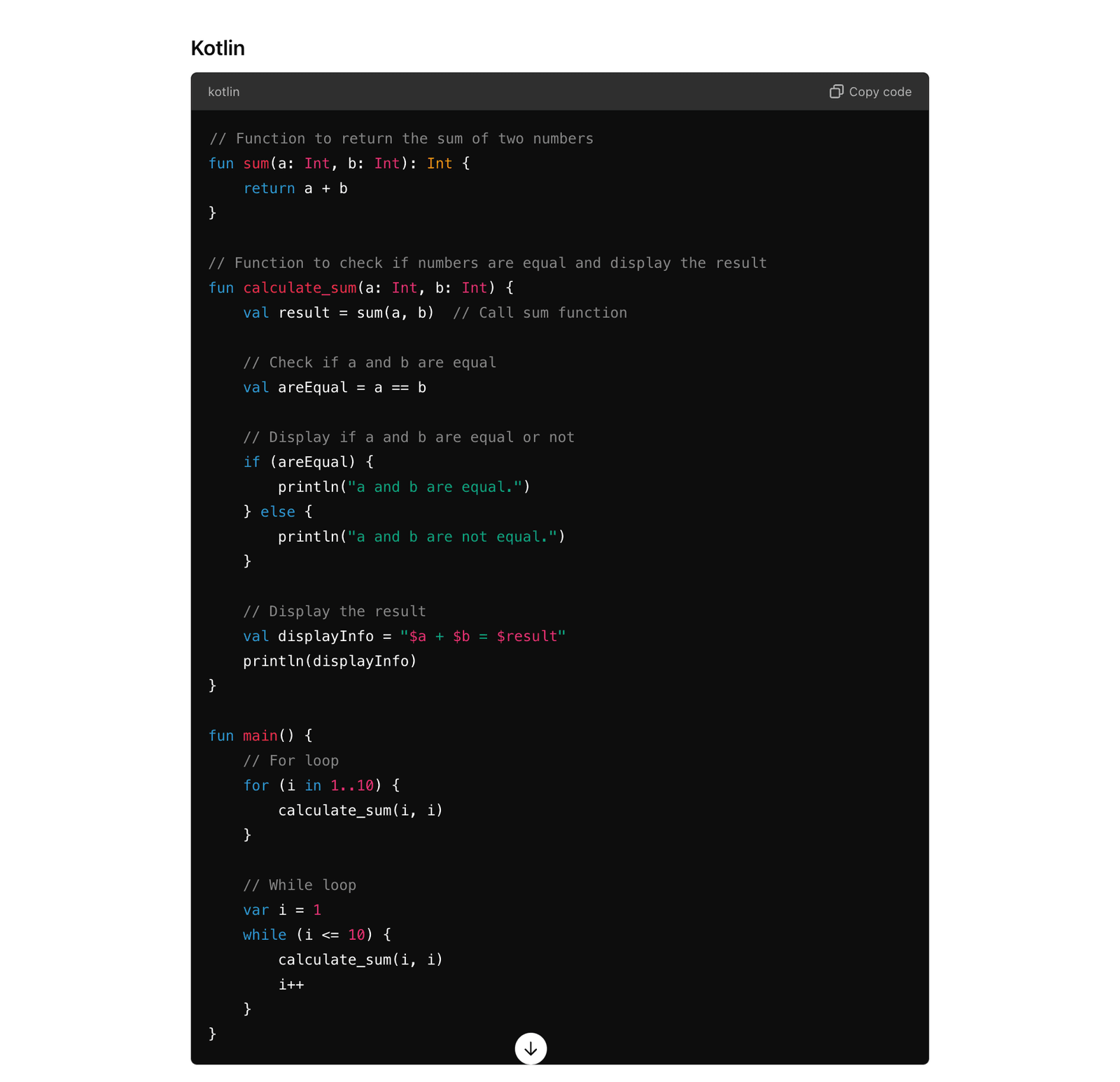
Class
what is class?
A class is like a mold (or template). 🚗
Imagine you're making toy cars:
- Every toy car has wheels, a body, and a color, right? 🛞🏎️🎨
- But you can't start from scratch each time you make a new car. You need a mold so that each car can be made easily.
- This mold is what we call a class.
In programming, a class is this mold:
- It helps you define what features (attributes) an object (like a car) should have and what it can do (functions).
- Then you can use this mold to make many "cars" (these cars are objects). Each car has the same basic design but can have different details, like different colors.
Using this class (mold), you can conveniently reuse the design and save time. ⏱️
For example, a "Car" class might include:
- Attributes: color, model, speed
- Functions: start, accelerate, brake
This way, when you want to create new cars in your program, you can use this "Car" class template. It's a way to organize and reuse code, making it easier to create many similar things in your program. 🚙🚗🚕
Why do we need class?
well in one word, again, because human is lazy and you wanna be much lazier LOL 😂
classcan help you organize your variables and functions in a structured wayclasscan help you reuse the code written by your own, and othersclasscan help you hide the details and only expose the necessary parts of the codeclasscan help you inherit the properties and methods from the parent classclasstherefore can help you write less code technically
---
title: Car Class
---
classDiagram
    class Car {
        -int speed
        -String color
        -String model

        +Car(String model, String color)
        +void start()
        +void accelerate(int increment)
        +void brake(int decrement)
        +void showDetails()
    }
    note for Car "speed is initialized to 0min the constructor"
Click to see Java code
public class Car {
    // Attributes of the Car
    private int speed;
    private String color;
    private String model;

    // Constructor to initialize the car's attributes
    public Car(String model, String color) {
        this.model = model;
        this.color = color;
        this.speed = 0; // Initial speed is 0 when the car is created
    }

    // Method to start the car
    public void start() {
        // set default speed to 50
        speed
        System.out.println("The car has started.");
    }

    // Method to accelerate the car
    public void accelerate(int increment) {
        if (increment > 0) {
            speed += increment;
            System.out.println("The car has accelerated. Current speed: " + speed + " km/h");
        } else {
            System.out.println("Invalid acceleration value.");
        }
    }

    // Method to apply brake and reduce the speed
    public void brake(int decrement) {
        if (decrement > 0 && decrement <= speed) {
            speed -= decrement;
            System.out.println("The car has slowed down. Current speed: " + speed + " km/h");
        } else if (decrement > speed) {
            speed = 0;
            System.out.println("The car has come to a complete stop.");
        } else {
            System.out.println("Invalid brake value.");
        }
    }

    // Method to display the car's details
    public void showDetails() {
        System.out.println("Car Model: " + model);
        System.out.println("Car Color: " + color);
        System.out.println("Current Speed: " + speed + " km/h");
    }

    // usage of the Car Class: Main method to demonstrate how-to use Car class
    public static void main(String[] args) {
        // Create a new car object
        Car myCar = new Car("Tesla Model 3", "Red");
        // Start the car
        myCar.start();
        // Display car details
        myCar.showDetails();
        // Accelerate the car
        myCar.accelerate(30);
        // Show current details
        myCar.showDetails();
        // slow down the car
        myCar.brake(10);
        // Further accelerate
        myCar.accelerate(50);
        // Brake the car to a stop
        myCar.brake(80);
        // Show final details
        myCar.showDetails();
    }
}
After you get your result, feel free to check here for curiosity only
Python
class Car:
    def __init__(self, model, color):
        self.speed = 0
        self.color = color
        self.model = model

    def start(self):
        print("The car has started.")

    def accelerate(self, increment):
        if increment > 0:
            self.speed += increment
            print(f"The car has accelerated. Current speed: {self.speed} km/h")
        else:
            print("Invalid acceleration value.")

    def brake(self, decrement):
        if decrement > 0 and decrement <= self.speed:
            self.speed -= decrement
            print(f"The car has slowed down. Current speed: {self.speed} km/h")
        elif decrement > self.speed:
            self.speed = 0
            print("The car has come to a complete stop.")
        else:
            print("Invalid brake value.")

    def show_details(self):
        print(f"Car Model: {self.model}")
        print(f"Car Color: {self.color}")
        print(f"Current Speed: {self.speed} km/h")


my_car = Car("Tesla Model 3", "Red")
my_car.start()
my_car.show_details()
my_car.accelerate(30)
my_car.brake(10)
my_car.accelerate(50)
my_car.brake(80)
my_car.show_details()
Kotlin
class Car(val model: String, val color: String) {
    var speed = 0

    fun start() {
        println("The car has started.")
    }

    fun accelerate(increment: Int) {
        if (increment > 0) {
            speed += increment
            println("The car has accelerated. Current speed: $speed km/h")
        } else {
            println("Invalid acceleration value.")
        }
    }

    fun brake(decrement: Int) {
        if (decrement > 0 && decrement <= speed) {
            speed -= decrement
            println("The car has slowed down. Current speed: $speed km/h")
        } else if (decrement > speed) {
            speed = 0
            println("The car has come to a complete stop.")
        } else {
            println("Invalid brake value.")
        }
    }

    fun showDetails() {
        println("Car Model: $model")
        println("Car Color: $color")
        println("Current Speed: $speed km/h")
    }
}

fun main() {
    val myCar = Car("Tesla Model 3", "Red")
    myCar.start()
    myCar.showDetails()
    myCar.accelerate(30)
    myCar.brake(10)
    myCar.accelerate(50)
    myCar.brake(80)
    myCar.showDetails()
}
TypeScript
class Car {
    private speed: number;
    private color: string;
    private model: string;

    constructor(model: string, color: string) {
        this.speed = 0;
        this.color = color;
        this.model = model;
    }

    start(): void {
        console.log("The car has started.");
    }

    accelerate(increment: number): void {
        if (increment > 0) {
            this.speed += increment;
            console.log(`The car has accelerated. Current speed: ${this.speed} km/h`);
        } else {
            console.log("Invalid acceleration value.");
        }
    }

    brake(decrement: number): void {
        if (decrement > 0 && decrement <= this.speed) {
            this.speed -= decrement;
            console.log(`The car has slowed down. Current speed: ${this.speed} km/h`);
        } else if (decrement > this.speed) {
            this.speed = 0;
            console.log("The car has come to a complete stop.");
        } else {
            console.log("Invalid brake value.");
        }
    }

    showDetails(): void {
        console.log(`Car Model: ${this.model}`);
        console.log(`Car Color: ${this.color}`);
        console.log(`Current Speed: ${this.speed} km/h`);
    }
}

const myCar = new Car("Tesla Model 3", "Red");
myCar.start();
myCar.showDetails();
myCar.accelerate(30);
myCar.brake(10);
myCar.accelerate(50);
myCar.brake(80);
myCar.showDetails();
C#
using System;

class Car {
    private int speed;
    private string color;
    private string model;

    public Car(string model, string color) {
        this.speed = 0;
        this.color = color;
        this.model = model;
    }

    public void Start() {
        Console.WriteLine("The car has started.");
    }

    public void Accelerate(int increment) {
        if (increment > 0) {
            speed += increment;
            Console.WriteLine($"The car has accelerated. Current speed: {speed} km/h");
        } else {
            Console.WriteLine("Invalid acceleration value.");
        }
    }

    public void Brake(int decrement) {
        if (decrement > 0 && decrement <= speed) {
            speed -= decrement;
            Console.WriteLine($"The car has slowed down. Current speed: {speed} km/h");
        } else if (decrement > speed) {
            speed = 0;
            Console.WriteLine("The car has come to a complete stop.");
        } else {
            Console.WriteLine("Invalid brake value.");
        }
    }

    public void ShowDetails() {
        Console.WriteLine($"Car Model: {model}");
        Console.WriteLine($"Car Color: {color}");
        Console.WriteLine($"Current Speed: {speed} km/h");
    }
}

class Program {
    static void Main() {
        Car myCar = new Car("Tesla Model 3", "Red");
        myCar.Start();
        myCar.ShowDetails();
        myCar.Accelerate(30);
        myCar.Brake(10);
        myCar.Accelerate(50);
        myCar.Brake(80);
        myCar.ShowDetails();
    }
}